Guest tokens allow you to limit coupon access to a specific set of users without requiring them to enter their phone number. Each user receives a unique ID appended to the end of the coupon link. This ID is stored in your CoupJoy account and cross-referenced when the link is accessed. If the ID is valid and has not yet been used, the user is permitted to print or clip the coupon.
Common Use Cases
- Email Lists
- Sweepstakes/Giveaways
- Consumer Support
Guest tokens can be managed using either static or dynamic lists. You can upload a static list to restrict access to a predefined group of users, or use the CoupJoy API to dynamically add or remove users in real time, giving you flexible control over coupon distribution.
Creating a Guest Token Group
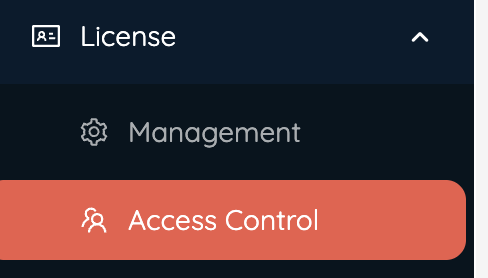
Guest Tokens are located in the License/Access Control, under the final tab titled Guest Tokens.
1. Click "Create" on the far right to create a gallery.

2. Fill in the Guest Token Information
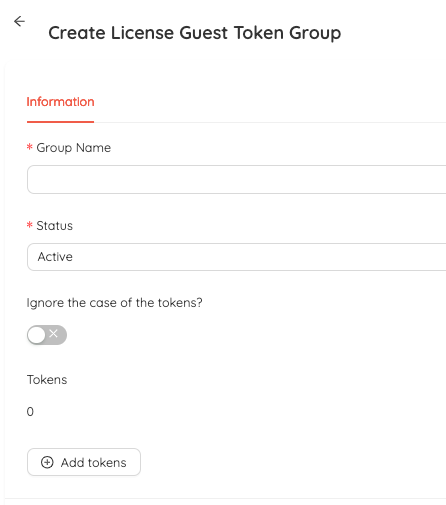
- Group Name - This is the internal name for your Guest Token Group
- Status - You can activate or deactivate your Guest Token Group
- Ignore the case of the tokens - In some cases it may become necessary to ignore the case of the ID's.
- Tokens - This number shows how many tokens have been added to the group
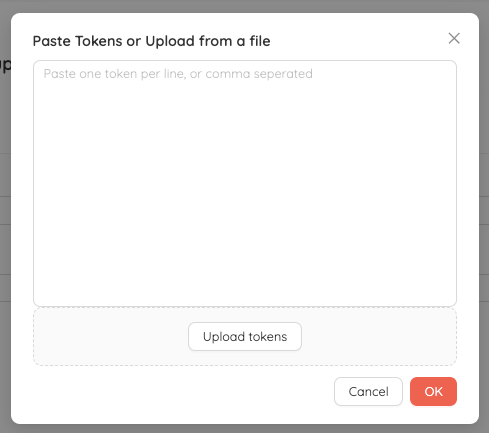
- "Add Tokens" - Click this to add the list of approved tokens to the database
- Tokens can be added in two ways. You can copy and paste the list into the screen, or you can upload a csv file. If you upload the list make sure it ONLY contains the ID's. NO separate columns or headers.
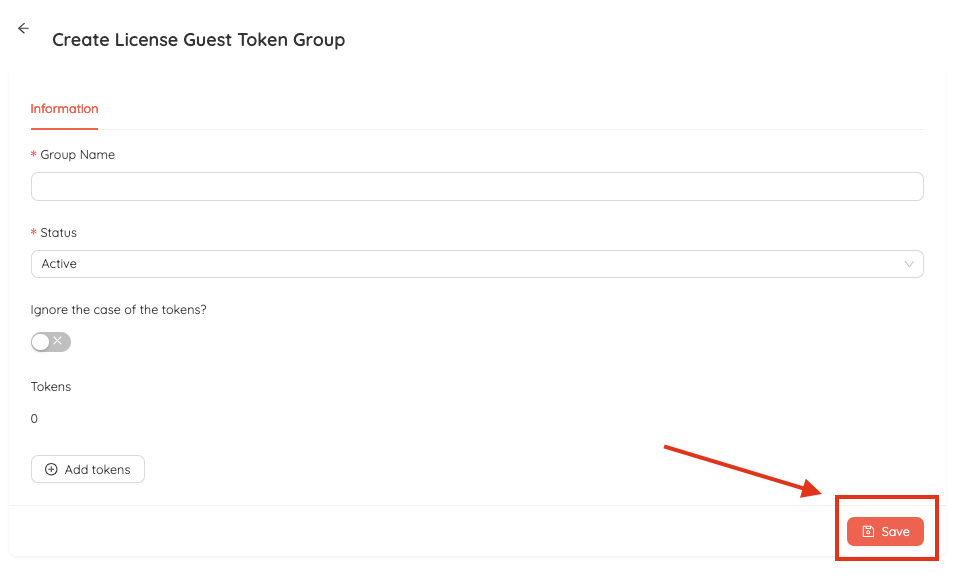
3. CLICK SAVE - If you do not click save the tokens and group will not be saved.
Once your Guest Token Group is created you will need to add it to the appropriate distribution for it work. For more information on Distributions click here.
Setting up your Distribution Link
If using Guest Tokens your coupon distribution link will NOT work with out an appropriate ID appended to the end of it. For example below is a normal link with a guest token.
https://examplecouponlink.com/2023943450989083475209587
And here is a link that is utilizing Guest Tokens.
https://examplecouponlink.com/2023943450989083475209587/GUESTTOKENHERE
The guest token link will contain a "/" and then the full guest token will go after.
Guest Tokens is a more advanced feature so feel free to reach out to your CoupJoy rep with any questions or help.
Was this article helpful?
That’s Great!
Thank you for your feedback
Sorry! We couldn't be helpful
Thank you for your feedback
Feedback sent
We appreciate your effort and will try to fix the article